
PPM (analog)
PPM is Magic Box’s analog output — always on, no Web UI configuration needed. It rides on the dedicated PPM 3.5 mm jack on the case.
Two paths typically use it:
- A radio’s trainer port (typical for classic Tx like RadioMaster, FrSky) — Magic Box becomes a sim-like external joystick into a normal radio.
- A PPM-capable external TX module (multiprotocol modules, FrSky XJT, Flysky FRM303 with the PPM accessory cable, even some 4-in-1 modules). Same chain pattern as digital protocols — wiring details for the module side are on the Wiring & TX Modules page.
The PPM output and the UART (digital) output run side by side on Magic Box, so you can drive a PPM trainer port and an SBUS / IBUS / CRSF link at the same time if your setup needs both.
Wiring
Section titled “Wiring”Plug the supplied 3.5 mm stereo cable into the PPM jack on Magic Box. The other end goes to your radio’s trainer port (or to the PPM input on a module).
Jack polarity (tip vs ring)
Section titled “Jack polarity (tip vs ring)”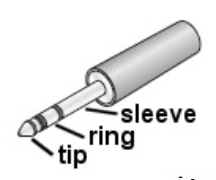
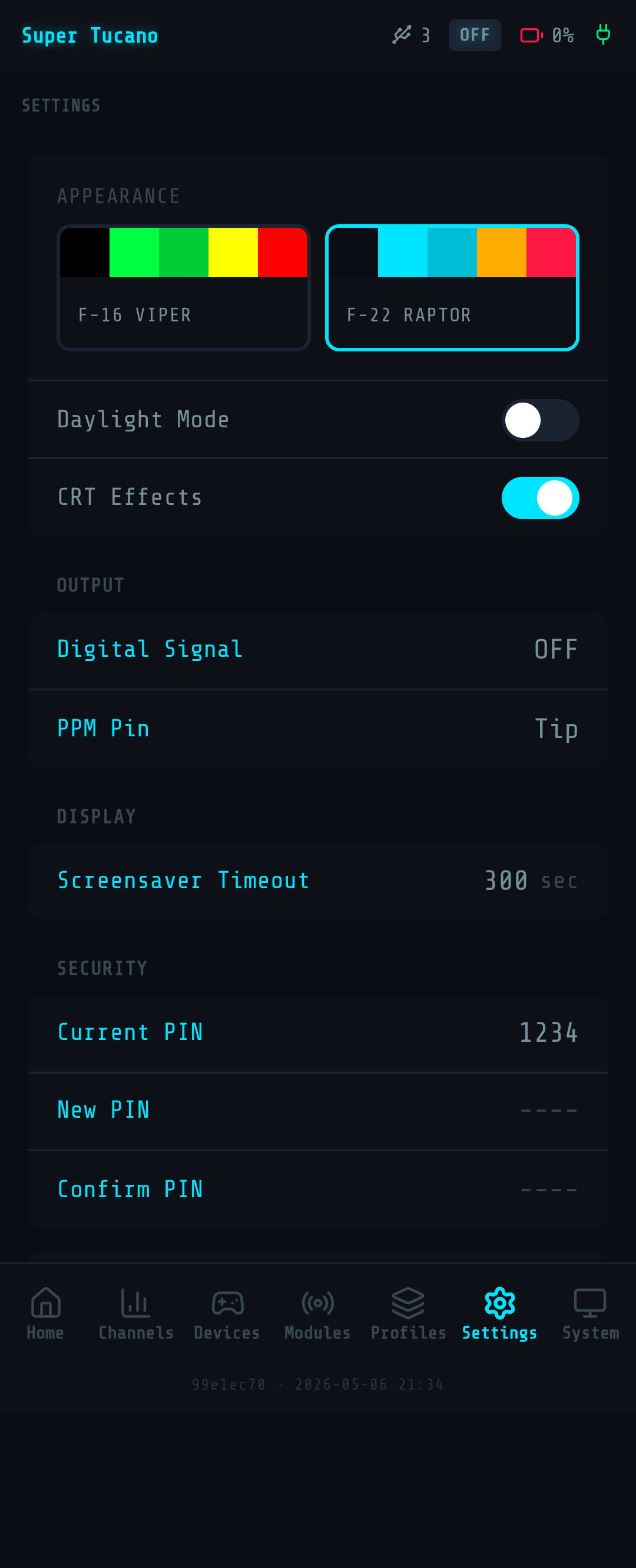
Some older trainer-port modules read PPM off the tip of the 3.5 mm jack instead of the ring. Set the jack polarity in the Web UI under Settings → PPM jack polarity — pick tip or ring to match your hardware.
Verify before you fly
Section titled “Verify before you fly”The Web UI’s live channel view shows what’s going out on every channel. Move your HOTAS axes and watch the channels respond. Then watch the same motion at the model end — sticks driving servos (line-of-sight setup), or channel bars filling in your flight controller’s receiver tab.
- Want a digital output instead? See SBUS, IBUS (for FlySky), or CRSF.
- Wiring Magic Box straight to a TX module (no radio in between)? See External TX Modules.