
Welcome
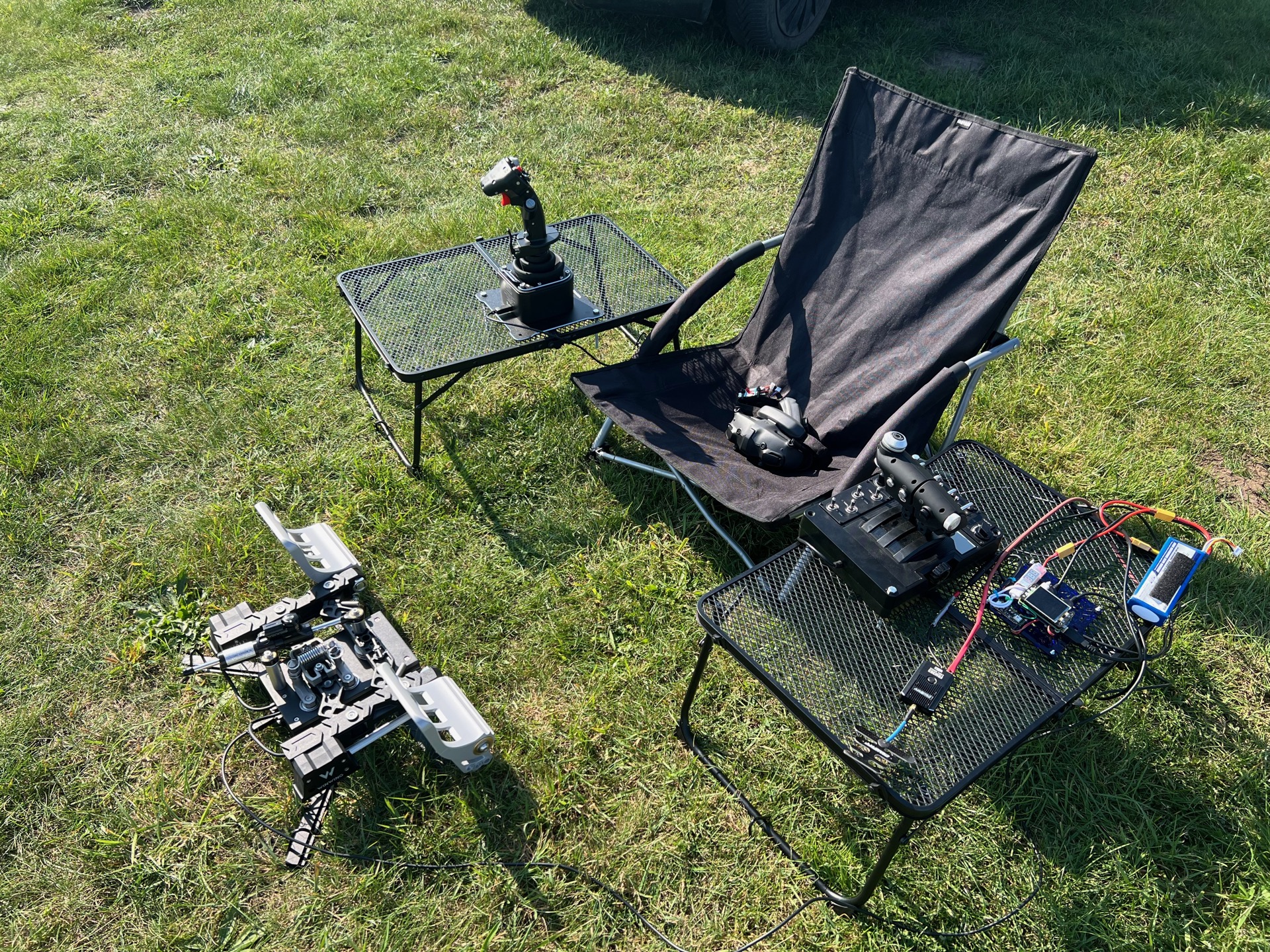
Magic Box converts your flight sim HOTAS (joystick, throttle, pedals) into the same RC signals your radio puts out.
Plug your sim gear into Magic Box. Wire Magic Box into the rest of your RC chain. Fly your real RC plane the way you fly the sim.
That’s the whole pitch.
What you can do with it
Section titled “What you can do with it”| Capability | What it means |
|---|---|
| Real HOTAS, not a tiny gamepad | A full sim joystick + throttle + pedals — same gear you use at your sim rig |
| Up to 4 USB devices simultaneously | Joystick, throttle, pedals, custom switch panel — all plugged in at once |
| Bind any switch / knob / wheel | Map them to flaps, gear, lights, brakes, flight modes — anything your model needs |
| Mix in head-tracker input | FPV camera gimbal slaved to your head |
| Web UI from phone or laptop | No software install, no cables, no YAML — just open the URL |
| Multiple model profiles | Separate setups for warbird, glider, multirotor, ground vehicle |
Magic Box in action
Section titled “Magic Box in action”What’s in the box
Section titled “What’s in the box”Magic Box itself, an SD card with the firmware, and a 3.5 mm jack cable for the trainer port.
You’ll bring the rest:
- Your USB HOTAS gear
- A 3–6S LiPo battery with an XT60 connector
- Your radio or radio module (anything that takes PPM, SBUS, IBUS or CRSF)
- A receiver in your model
For a full hardware list with links, see What You Need.
How configuration works on v2
Section titled “How configuration works on v2”The whole config lives in the Web UI. Magic Box broadcasts its own Wi-Fi network — MagicBox-XXXX. Connect with your phone, open the URL, and you’re configuring channels, profiles, transforms and bindings from your bench.
No editing files. No SSH. No YAML.
Where to next
Section titled “Where to next”- New to Magic Box? Work straight down this section — What You Need for the gear list, then Quick Setup: supplied PPM cable into your radio’s trainer port, five steps to a moving servo.
- Already wired up? Pick a profile in Supported Devices.
- Coming from firmware v1.x (the YAML-based line)? See Migrating from v1 to v2.