SilverFox Magic Box v2.0
USB to RC Converter
A portable USB-to-RC bridge. Connect joystick, throttle, pedals and switch panels — up to 4 devices. Output PPM, SBUS, IBUS or CRSF to your radio module or flight controller. Full Web UI from your phone.
What Magic Box Does
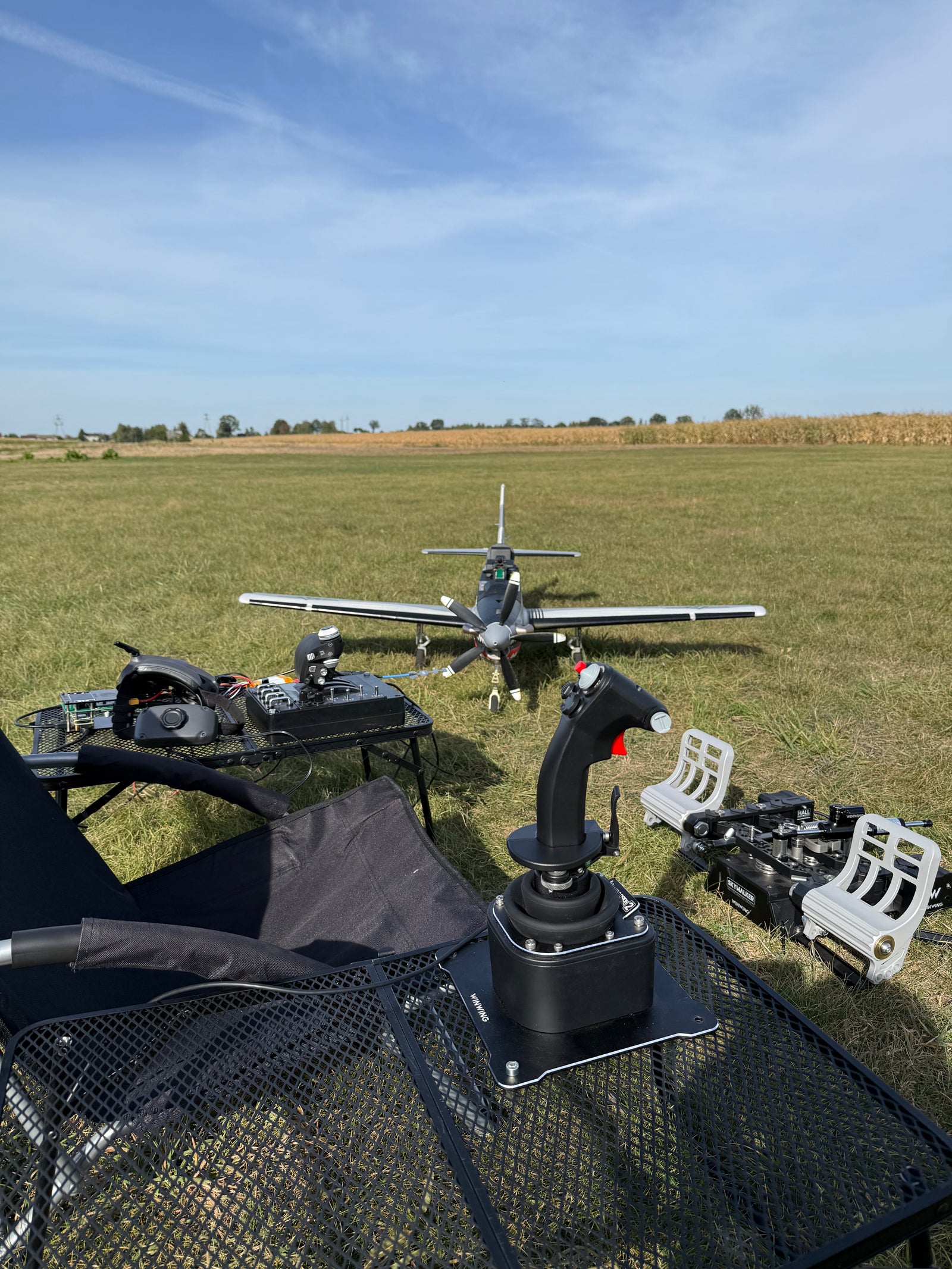
Magic Box is a portable USB-to-RC bridge that lets you fly real RC planes, VTOLs and multirotors with professional HOTAS controllers — joystick, throttle, pedals, switch panels. It takes USB HID signals from up to 4 devices, converts them to PPM, SBUS, IBUS or CRSF, and sends them to your radio module or flight controller via trainer port or direct connection.
Version 2.0 ships with a full Web UI — a Svelte 5 app that runs on your phone over WiFi. Live channel bars at 20Hz, an interactive device sniffer with tap-to-assign, profile editor, channel transforms (expo, trim, subtrim, limits). Everything a transmitter does — in a box you power from a LiPo and configure without a laptop.
Built on a custom PCB with Raspberry Pi, LCD display and a 4-button interface.
Powered by 3-6S LiPo (XT60 connector), with battery voltage monitoring and a low-voltage buzzer.
WiFi access point (MagicBox-XXXX) for phone configuration, PIN-protected with idle detection.
See It in Hand. See It on Your Phone.
The hardware up close, and the configuration app you actually use to fly with it.
The Hardware
The Web UI — on Your Phone
Connect to the MagicBox-XXXX WiFi access point, open the URL in your browser. Configure channels, profiles and transforms — no laptop, no install.
Your cockpit, in your pocket.
Every channel, every value, refreshed live at 20Hz over WebSocket. Throttle, control surfaces, flight modes — all visible at a glance, configurable with a tap. No laptop on the bench, no app to install.
- 16 channels grouped by function
- F-22 Raptor dark theme — readable in cockpit lighting
- Tap any channel to edit binding, expo, trim
See It in Action
Real builds, real flights, real setup walkthroughs from the SilverFoxRC channel.
Rollout for Takeoff
HOTAS-driven rollout and takeoff with Magic Box on a real RC airplane.
Rig Setup
Connecting joystick, throttle and pedals into a portable cockpit driven by Magic Box.
First-Time Setup
SD flash, Wi-Fi, file structure, HOTAS Discovery, channel binding and output test — end-to-end.
More tutorials and demos on youtube.com/@Silver-Fox-RC.
From Unboxing to First Flight in 3 Steps
Plug in your HOTAS
Connect your joystick, throttle, pedals — up to 4 USB devices. Magic Box recognizes standard USB HID controllers. Power via 3-6S LiPo battery.
Configure from your phone
Connect to MagicBox WiFi, open the Web UI. The sniffer detects your axes and buttons — tap to assign them to RC channels. Set expo, trim, limits. Save as a profile. About 5 minutes.
Connect to your radio and fly
Plug the trainer cable into your radio (or connect an ELRS module for CRSF). Arm your model. You’re flying with a full-size stick instead of thumb gimbals.
Full Specifications
Looking for firmware updates and downloads? See How to Update or the OS Images.
Frequently Asked Questions
Ready to Fly With Real Controls?
SilverFox Magic Box v2.0 — USB to RC converter with multi-protocol output and full Web UI. Ships worldwide via FedEx / UPS.
Questions? Join 60+ pilots in our
Facebook group or email
[email protected].
Compatible with Thrustmaster, Logitech, VKB, Virpil, WinWing and most USB HID controllers.