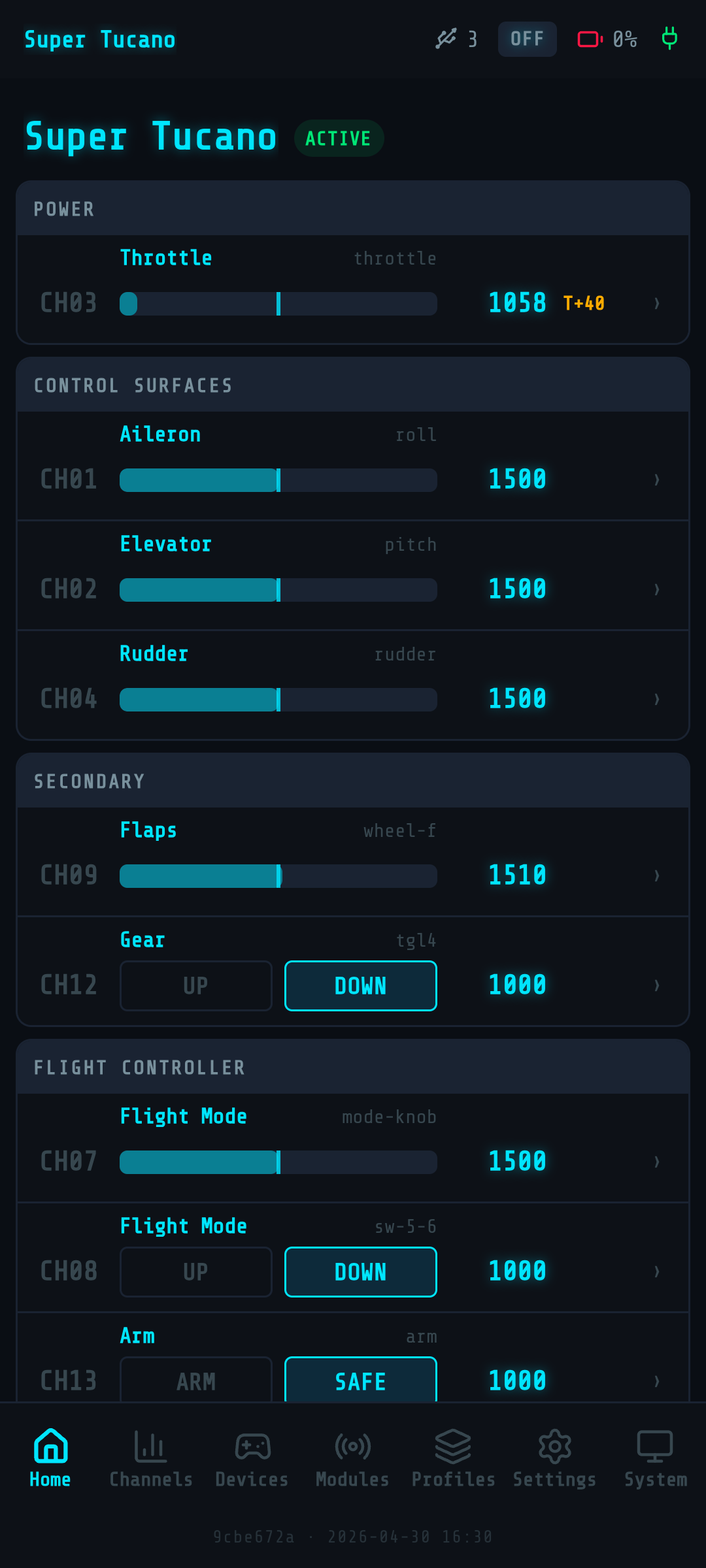
Home dashboard
Your cockpit, in your pocket.
Open the Web UI. See all 16 channels live, every controller plugged in, every output protocol active. One screen, the whole flight stack at a glance — refreshed at 20Hz over WebSocket.
Magic Box v2.0 · Web UI walkthrough
19 features across 5 sections — channels, tuning, hardware discovery, profiles. The Web UI you configure on your phone, end to end.
01
No laptop on the bench. No CLI. No installer. Magic Box runs its own Web UI on its own WiFi network — open it from any phone, configure everything that matters.
Your cockpit, in your pocket.
Open the Web UI. See all 16 channels live, every controller plugged in, every output protocol active. One screen, the whole flight stack at a glance — refreshed at 20Hz over WebSocket.
Watch your sticks, in real time.
Every axis, every button — live bars updating 20 times a second. Tap a channel to see exactly what's driving it. No guessing, no oscilloscope.
No app. No cable. No laptop.
Magic Box broadcasts its own WiFi access point — MagicBox-XXXX. Connect from any phone, open the URL, you're in. Bench, hangar, runway — works the same.
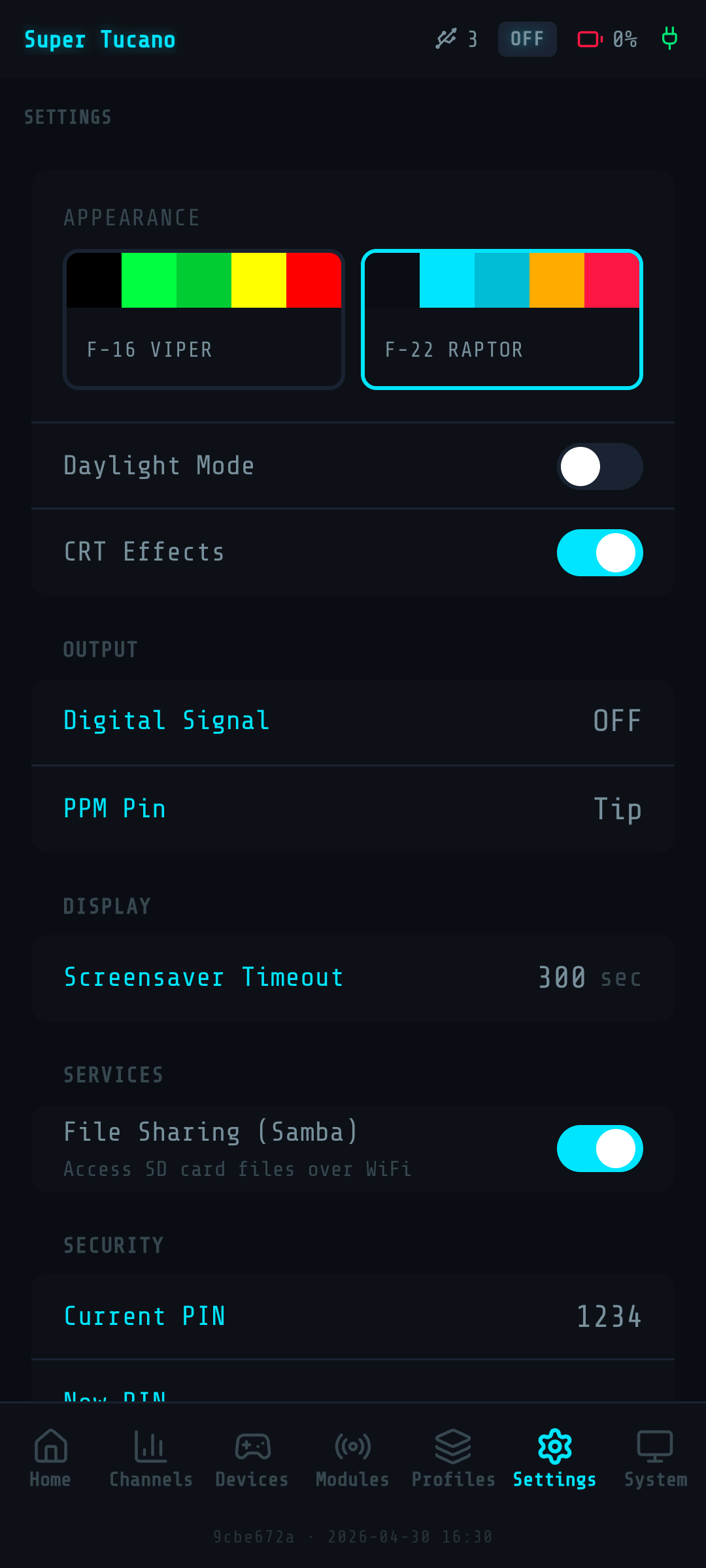
Built for cockpit lighting and bright daylight.
F-22 Raptor dark theme by default — readable under the canopy, no glare on tinted visors. Light mode for sunny benchwork. Toggle from settings, it remembers.
Your config, locked down.
4-digit PIN protects the Web UI from anyone on the WiFi. Idle timeout logs you out. Optional, but if you fly at meets — turn it on.
02
16 channels in, 16 channels out. Modern digital protocols (SBUS, IBUS, CRSF) and classic PPM. External inputs from head trackers and buddy boxes. The whole RC signal stack, configurable from one screen.
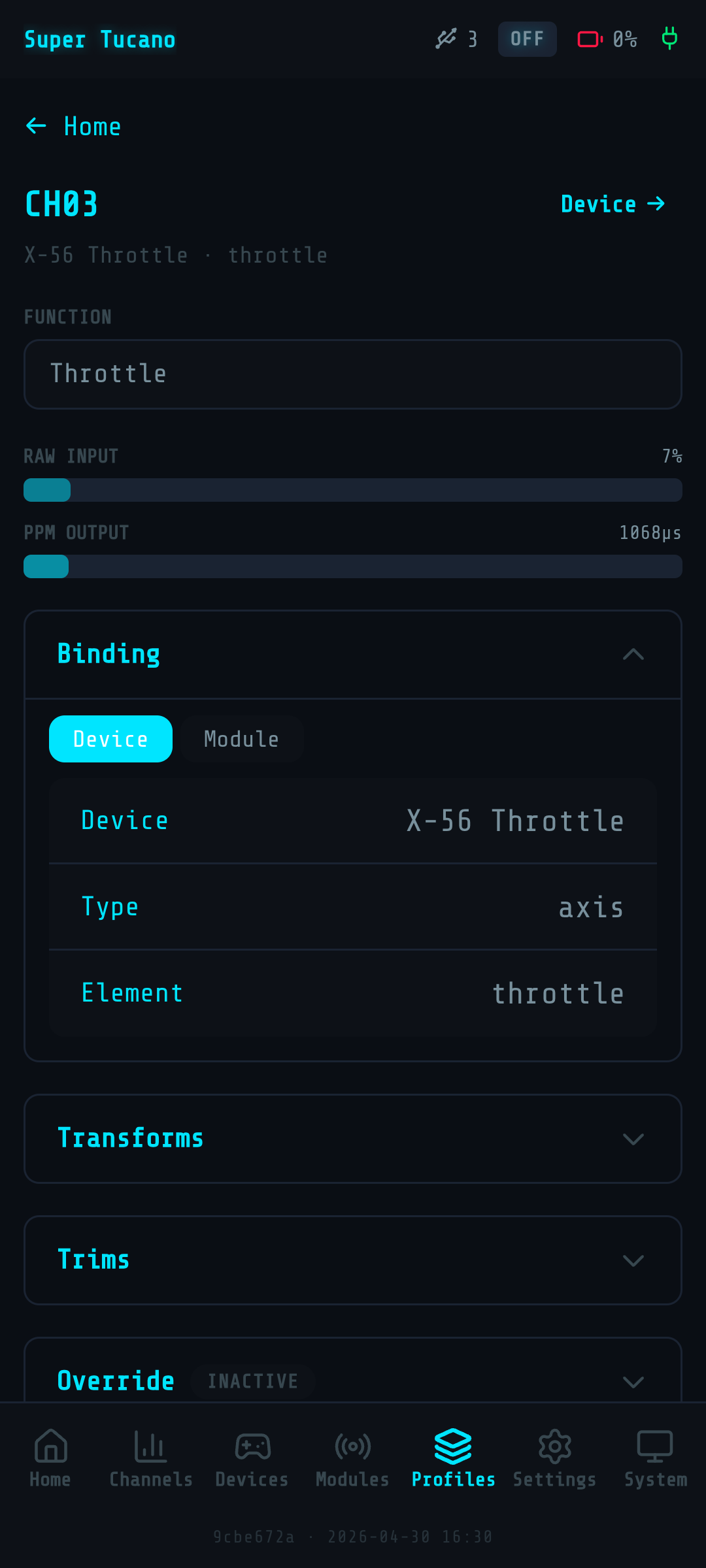
16 channels, one screen.
All channels, all values, all bindings — in one scrollable list. Edit any channel with a tap: source, transform, output. The structure of your flight model, made visible.
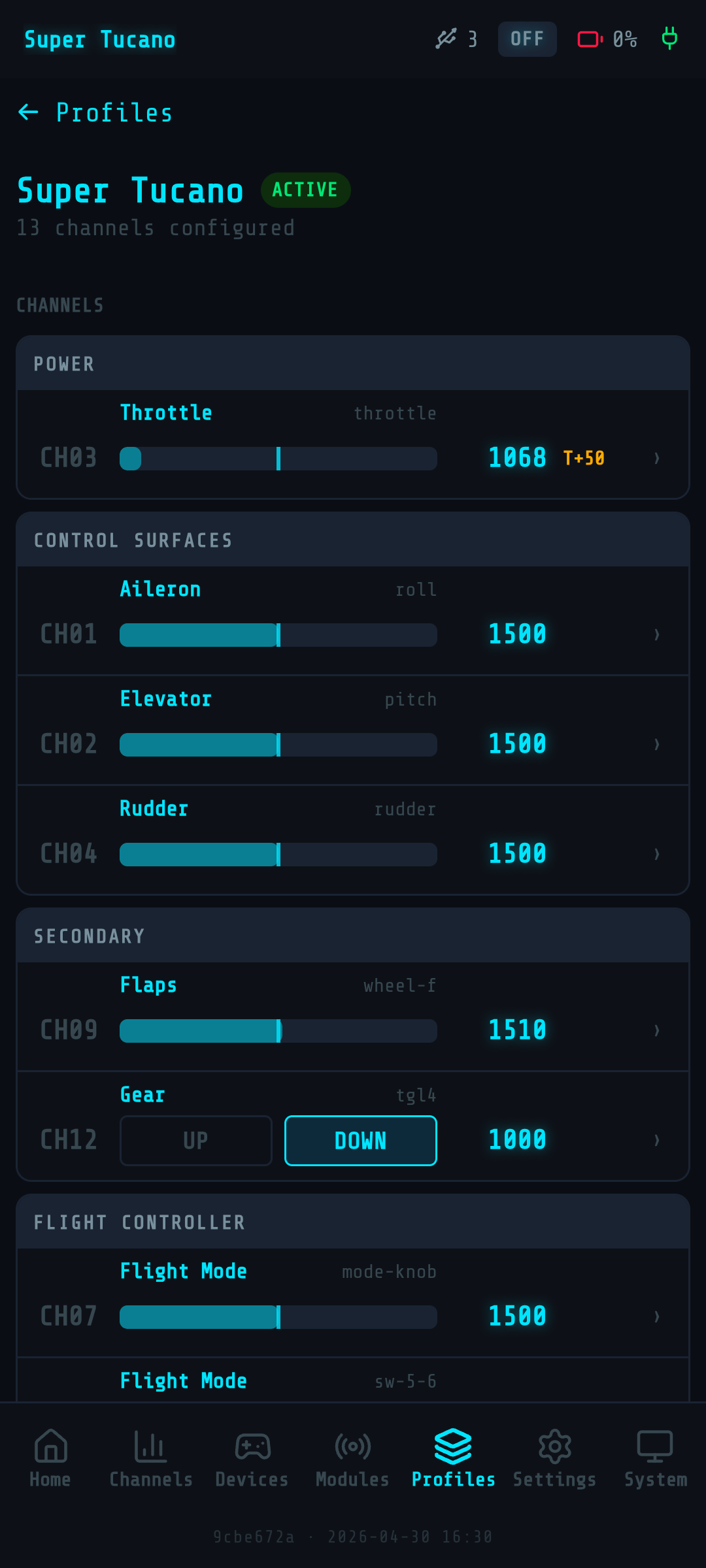
Throttle, ailerons, modes — labeled like a cockpit, not a spreadsheet.
Rename channels. Group them by function — primary controls, flight modes, gear, overrides. Pick from preset categories or roll your own. Your naming, your discipline.
PPM. SBUS. IBUS. CRSF. Pick one. Or all of them.
Output any protocol your radio or flight controller speaks. Modern flight controllers want digital — Magic Box gives them digital. Old radios want PPM — Magic Box gives them PPM. Toggle per profile.
Plug in a head tracker. Plug in a buddy stick. Mix it all in.
PPM input on the 3.5mm jack accepts head trackers, buddy boxes or any external signal source. The built-in mixer blends external channels with your HOTAS — head moves the gimbal, hands fly the plane.
03
The shaping that makes a stick feel right — trims, expo curves, weight, limits, overrides. The same toolkit you'd find buried in a high-end transmitter. Surfaced on the Web UI, configured with a tap.
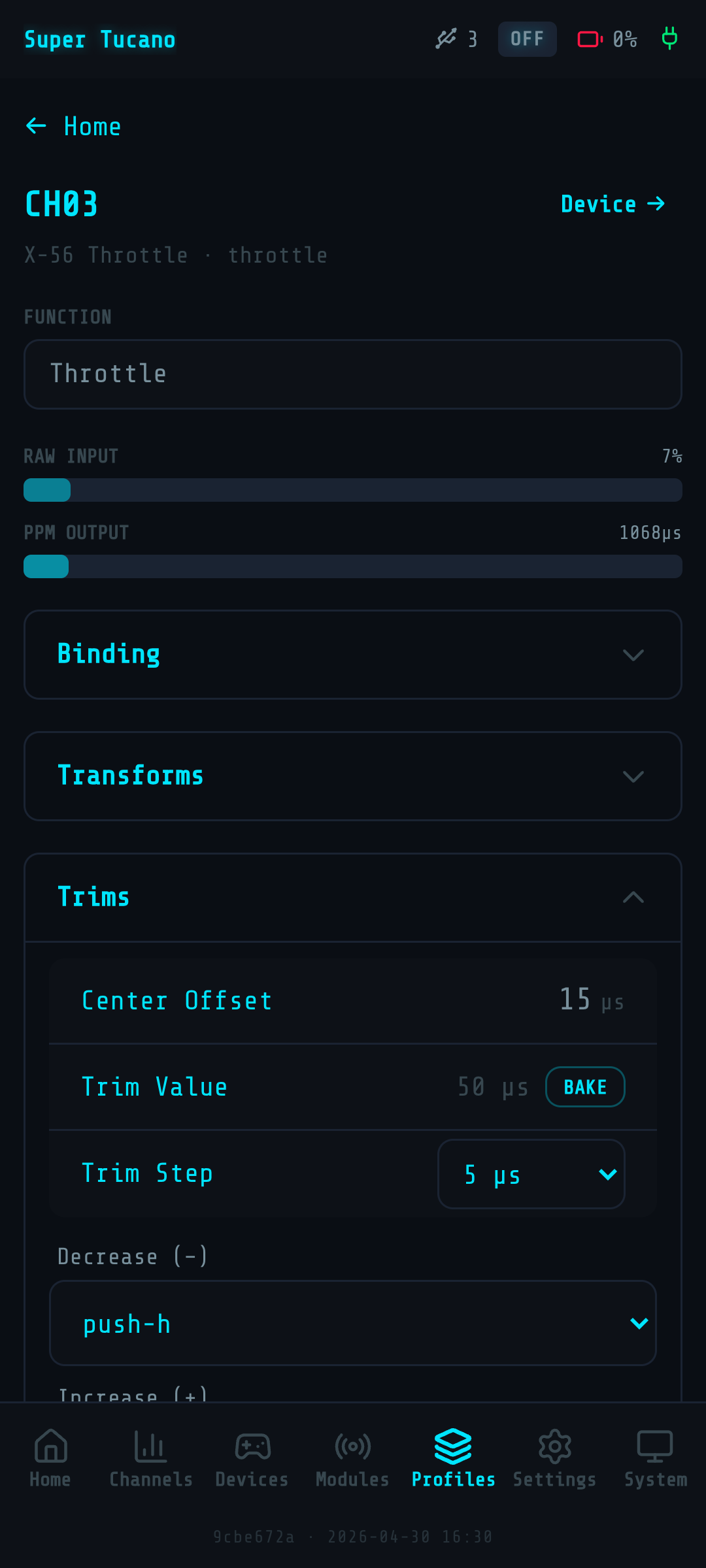
Center the stick. Center the surface.
Per-channel trim and subtrim — calibrate your model out of the box, on the bench. No screwdriver, no servo arm shuffling. The same workflow you'd use on a high-end transmitter.
Make a stick feel right.
Per-channel expo curves for soft mid-stick precision. Weight (mixing ratio), reversed direction, min/max endpoints. The shaping you'd find buried in your radio's menus, surfaced on a phone screen.
Ignore the stick. Send a fixed value.
Override any channel with a constant. Use it for ground-test poses, fail-safe setups, or as a temporary kill on a misbehaving axis. One toggle, one number, channel locked.
Flip a direction. Scale a range.
Per-axis reversal — fix a backwards-installed servo or a swapped elevator without rewiring. Scale the input range to match what your model expects. Bind once, fly forever.
04
Plug in a HOTAS. Plug in a button box. Plug in something nobody's seen before. Magic Box detects, classifies and surfaces every axis and button — ready to bind.
Touch a switch. Magic Box knows what it is.
Auto-detection of 2-position, 3-position, latching and momentary switches. Move the switch, the sniffer classifies it, you pick the binding. No manual button-counting.
Voltage on screen. Buzzer if it dips.
Live voltage display from your 3-6S LiPo. Configurable low-voltage threshold — buzzer fires before you brown out the radio mid-takeoff. The kind of detail you only miss once.
05
Your config is data. Back it up, export it, version-control it, share it. Migrate from Magic Box v1, generate iNav configs, ship YAML to a friend. Your tuning, portable.
Your whole config — one file.
Snapshot the entire device state — profiles, bindings, settings, hardware definitions — into a backup. Restore it on a fresh Magic Box, or after a firmware update. Sleep easier.
Your hardware, in plain text.
Every controller, every axis, every button — exported as readable YAML. Version-control it, share it on the forum, copy it between Magic Boxes. Your discoveries, portable.
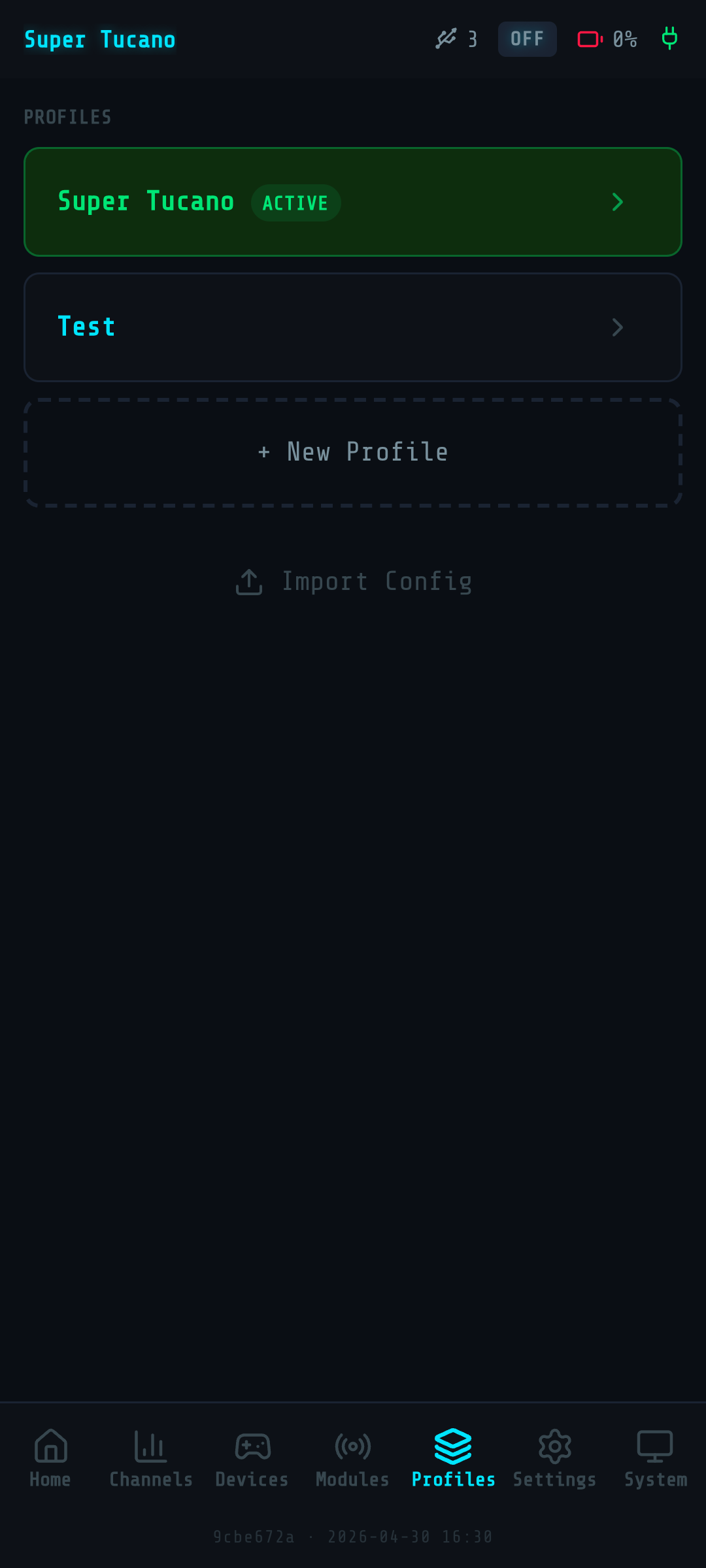
Upgrading from v1? Bring your profiles.
If you ran Magic Box v1, your profiles import directly into v2. Channel transforms, bindings, names — preserved. Your accumulated tuning doesn't get thrown away on upgrade.
Generate iNav config from your channel layout.
Magic Box knows which channels are throttle, modes, aux. Export an iNav-compatible config block — paste it into your flight controller's CLI. Less typing, fewer mismatches.
Magic Box v2.0 ships with everything on this page — no extra firmware, no upgrade path, no paid tier. Order, plug in, configure, fly.
Site version: 2.4.0